
Explore Latest Blog & News at Premier Aftermarket Auto Parts Store

Continue Selling When Out of Stock
Continue selling when out of stock allows customers to buy products even when there’s no inventory. This means they are backordering a product. Now for Special order products this needs to be turned on, as most special order products don’t have inventory available. However for regular stock products you can choose whether or not you
Read More
Set Special Order Stock Level
Let’s say you want to show inventory for special order products, but you want to show a set amount in stock instead of the live inventory from Turn 14, which for most special order products is 0. You can now use this setting “Set special order stock level” to create a fake stock level for
Read More
How to find a specific sku in the filter report
The filter report provides some useful insight into why products are not loaded into your store. Are they missing images? Require LTL shipping but LTL is disabled? The report will show you each part number that is rejected and why. Start by downloading your filter report in the Turn14 app. Once downloaded, we highly recommend viewing
Read More
Download a filter report from the Turn14 app
1. Open your Shopify store 2. Open the “Turn 14 Distribution” app 3. Open the “Filters” tab 4. Click “Report” to download the report Here’s how to find a specific sku in the filter report.
Read More
Brand Specific Filters
If you want to set filters for specific brands, you can now do so! For example if you want to allow universal products for brands who handle tires only, you can select them from the brands menu and allow universal products for those specific tire brands. Just remember to click the save button for each
Read More
Universal Fitment Products
Universal products contain both truly universal products like batteries, but also products that don’t have fitment data. This means you can have a product that says in the title it’s for a Ford F-150 but if it doesn’t have fitment data it will still end up in the universal product category. For example in
Read More
How to Use the Part Number Filter
In the filters tab you will see this: This allows you to: – either list every MPN you want to load regardless of if they match the filters -or upload an exact list of MPNs you want to have in the store To use this you can either type in the MPN one per line, or
Read More
International Filters
Is your store located outside the USA? Good news, we have filters for you. You can exclude products that can’t be shipped or imported into your country, or filter out products over or under a certain weight for easier shipping set up!
Read More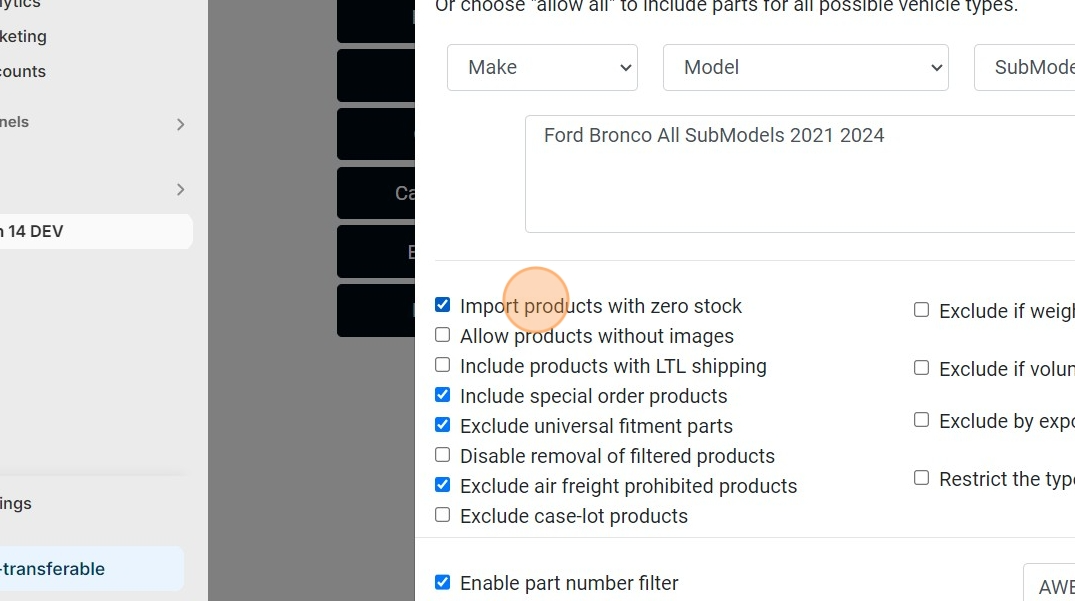
Zero Stock Items
In the filters tab of the app we have the option to import products with zero stock. This setting only applies when uploading products, helping to prioritize loading only products with inventory, and excluding out of stock products until they come back in stock. At this point they would then be imported. “Import products with
Read More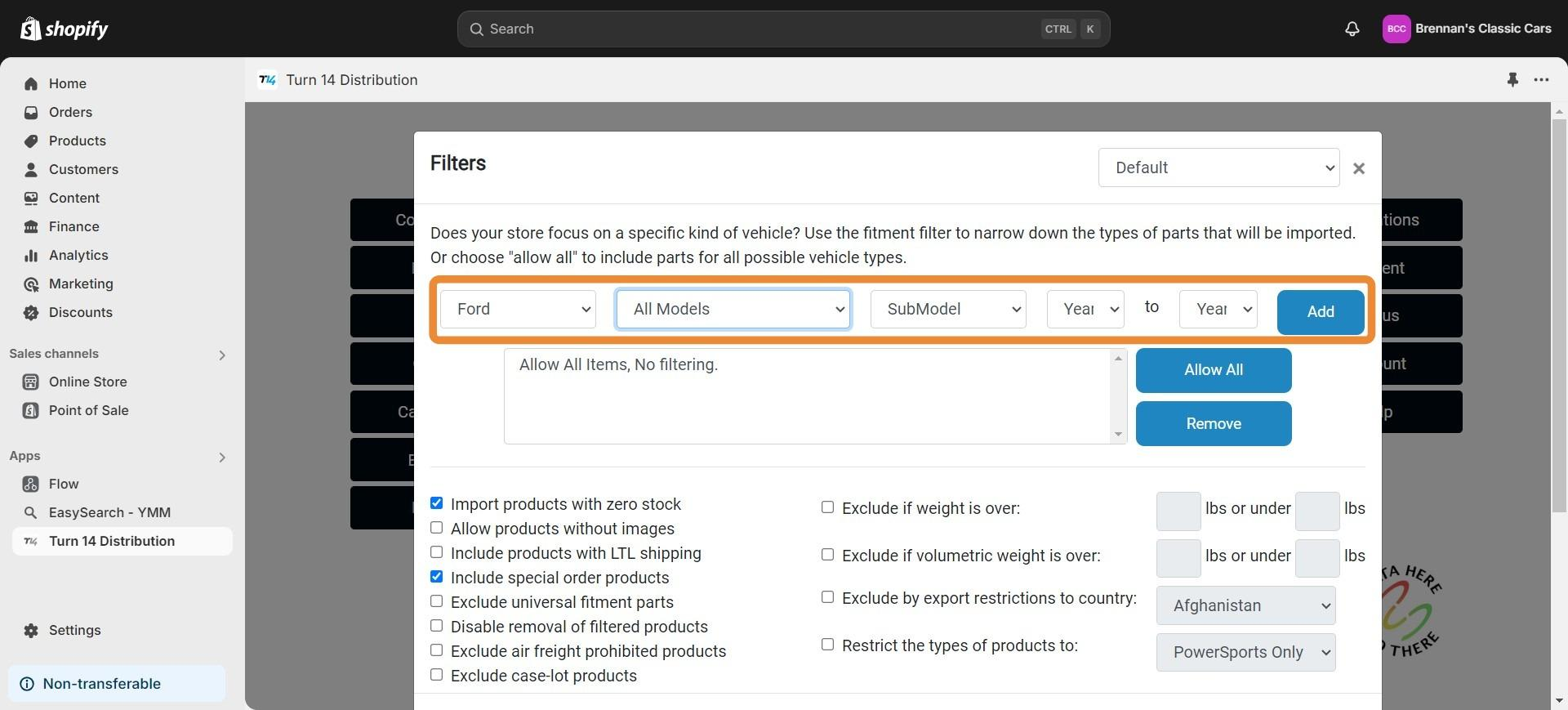
Using the fitment filter
1. Open the Turn 14 Distribution app 2. Click “Filters” 3. Use the menus shown here to select a vehicle type. These filters can be as specific as a certain year of a certain submodel, or as broad as an entire make. 4. Click “Add” to add the vehicle you’ve specified to the fitment filter.
Read More