
Order and Tracking Setup Instructions

Preparing for the test order:

1. Click “Orders”

Data Here-to-There Inc. | Order and Tracking Setup Instructions

2. Click the “Provide EPA acknowledgements” field.

Data Here-to-There Inc. | Order and Tracking Setup Instructions

3. Click the “Provide Prop65 acknowledgements” field.

Data Here-to-There Inc. | Order and Tracking Setup Instructions

4. Click the “Provide CARB acknowledgements” field.

Data Here-to-There Inc. | Order and Tracking Setup Instructions

5. Click the “Enable tracking synchronization” field.

Data Here-to-There Inc. | Order and Tracking Setup Instructions

6. Click the “Allow Shopify to mark orders as cancelled” field.

Data Here-to-There Inc. | Order and Tracking Setup Instructions

7. Acknowledge the information about cancelling orders

8. Scroll down and make sure you are in the “Testing environment”

Data Here-to-There Inc. | Order and Tracking Setup Instructions

In your Shopify Settings:

On Turn14.com:

Creating the test order:

1. Click “Orders”

Data Here-to-There Inc. | Order and Tracking Setup Instructions

2. Click “Create order”

Data Here-to-There Inc. | Order and Tracking Setup Instructions

3. Find a Turn 14 product that is in stock and add it to the order

Data Here-to-There Inc. | Order and Tracking Setup Instructions

4. Click the “Search or create a customer” field.

Data Here-to-There Inc. | Order and Tracking Setup Instructions

5. Create a customer, or use an existing profile make sure to use real customer information, including address and phone number. (This can be your own info if needed, so long as the address and phone number are both real.)

Data Here-to-There Inc. | Order and Tracking Setup Instructions

6. Click “Collect payment”

Data Here-to-There Inc. | Order and Tracking Setup Instructions

7. Click “Mark as paid” since this is a test order you wont be charged

Data Here-to-There Inc. | Order and Tracking Setup Instructions

8. Click “Create order”

Data Here-to-There Inc. | Order and Tracking Setup Instructions

9. Click “Request fulfillment”

Data Here-to-There Inc. | Order and Tracking Setup Instructions

10. Click “Send fulfillment request”

Data Here-to-There Inc. | Order and Tracking Setup Instructions

11. Email us the order number to send it over (this will be automated after we finish testing) The Turn 14 support team will then review the test order and enable production mode for their account (if they approve)

Once all of the items above have been completed, or if you have any questions on how to complete the above steps, email support@dataheretothere.com . If you need help checking your payment method, email the T14 accounting team at accounting@turn14.com or call 267-468-0350 x 8600.
Here’s the instructions to move to production mode.

Share:

More Scribes

multi location inventory

Multi Location Inventory

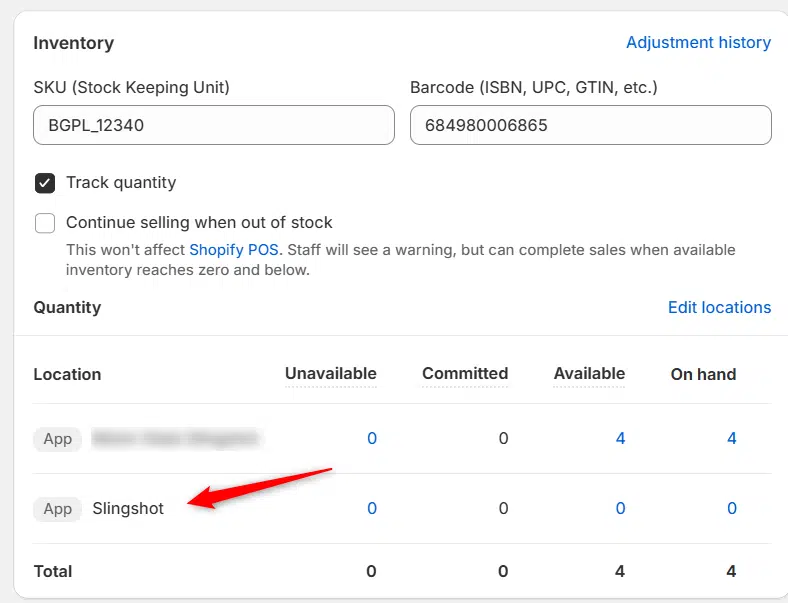
Previously we had all skus showing a single location called the “Slingshot App”, however we received a lot of requests
Create Parent collection in Shopify

Create Parent collection in Shopify

1. Click “Products” 2. Click “Collections” 3. Click “Create collection” 4. Click the “Title” field. 5. Enter the desired name

Add your Comment

Stay Connected

More Updates

AimExpo 2026 - DH2T Booth Number: 829

What’s New at DH2T: SEMA Highlights and AIMExpo Preview

With SEMA wrapped and AIMExpo just ahead, 2026 is already shaping up to be a big year for dealers ready to boost parts sales and grow beyond local boundaries. DH2T is helping shops do exactly that with automation, smarter tools, and an e-commerce system that works seamlessly with their DMS. If you’re heading to AIMExpo, swing by booth 829, catch Stephanie Benger’s Tech Talk, and see how dealers are scaling faster and selling more with less effort.
AIMEXPO 2025 Tech Talks

DH2T Tech Talks Presentation at AIMExpo 2025

Elevate your ecommerce game at AIMExpo 2025! Join Data Here-to-There on Thursday, February 6, at 2 PM for an engaging Tech Talks presentation on “E-commerce for Parts Dealers with Turn 14 Powersports on Shopify.” Discover how powersports dealers can streamline their operations, enhance customer satisfaction, and drive growth through cutting-edge tools like the Shop-in-a-Box solutions and real-time data integrations. Visit us at Booth #5028 to learn more and see live demonstrations of our innovative data solutions.
Select your currency