Connecting Holley

Customers are required to have a http://b2b.holley.com/ account. 

1.Sign into Holley B2B (https://b2b.holley.com)

2.Click Downloads 

3. Right click on the “Available Inventory Report”

4. Click copy link address. See screenshot below. The link address contains your unique API key.

Data Here-to-There Inc. | Connecting Holley

The link will look something like:  https://b2b.holley.com/data/atp/?api_key=123abc456efg7h8i 

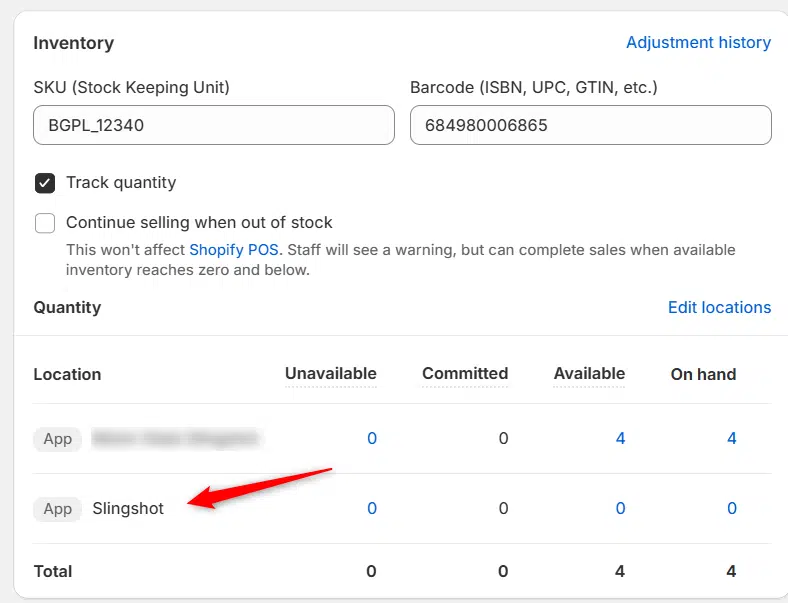
You then copy the part after api_key= (123abc456efg7h8i from the example above) into the  Holley connection in your Slingshot app settings, and change the update rate to “Daily” or “Hourly” depending on what you have access to, then click “Accept”

Data Here-to-There Inc. | Connecting Holley

Share:

More Scribes

multi location inventory

Multi Location Inventory

Previously we had all skus showing a single location called the “Slingshot App”, however we received a lot of requests
Create Parent collection in Shopify

Create Parent collection in Shopify

1. Click “Products” 2. Click “Collections” 3. Click “Create collection” 4. Click the “Title” field. 5. Enter the desired name

Add your Comment

Stay Connected

More Updates

illustration of shaking hands with city background

DH2T Enhances Slingshot Automotive App with RTX Wheels Integration

Data Here-to-There partners with RTX Wheels, a renowned name in high-quality aftermarket wheels. This collaboration significantly enhances DH2T’s Slingshot Automotive Shopify app, offering shop owners seamless access to RTX Wheels’ wide product range. The Slingshot-RTX integration simplifies the process of selling wheels and tires online, helping automotive retailers stay competitive in the fast-paced automotive parts market.
Connecting Wheel Pros Catalog

Connecting Wheel Pros Catalog

**First, you must setup your wheel pros data feed, instructions on how to do so can be found here – https://dataheretothere.freshdesk.com/a/solutions/articles/69000834016 1. Open your Shopify store
Edit Vertical menu in Spark Theme

Edit Vertical menu in Spark Theme

1. Click “Online Store” 2. Click “Navigation” 3. Click “Main menu” 4. Click “Edit” or “Delete” on the menu item you want to change
Select your currency