Connecting SSF (Catalog)

1. Open your Shopify store

2. Open the “Slingshot Automotive” app

Data Here-to-There Inc. | Connecting SSF (Catalog)

3. Click “Settings”

Data Here-to-There Inc. | Connecting SSF (Catalog)

4. Click “Catalogs”

Data Here-to-There Inc. | Connecting SSF (Catalog)

5. Scroll down to “SSF Catalog” and click “Connect”

Data Here-to-There Inc. | Connecting SSF (Catalog)

5. Enter your Account number and SFTP credentials, then click “Accept”

Account number and SFTP credentials can be obtained from your SSF representative. For assistance, contact info@ssfautoparts.com

Data Here-to-There Inc. | Connecting SSF (Catalog)

Share:

More Scribes

multi location inventory

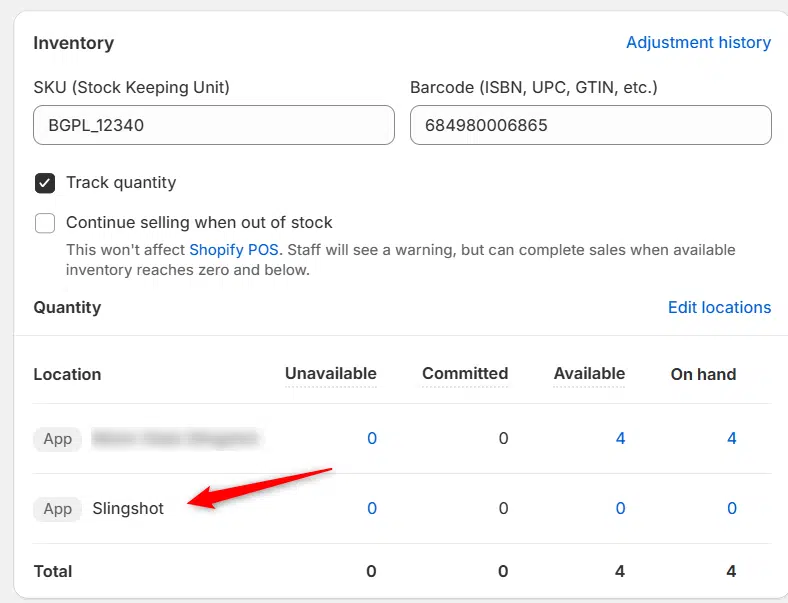
Multi Location Inventory

Previously we had all skus showing a single location called the “Slingshot App”, however we received a lot of requests
Create Parent collection in Shopify

Create Parent collection in Shopify

1. Click “Products” 2. Click “Collections” 3. Click “Create collection” 4. Click the “Title” field. 5. Enter the desired name

Add your Comment

Stay Connected

More Updates

AimExpo 2026 - DH2T Booth Number: 829

What’s New at DH2T: SEMA Highlights and AIMExpo Preview

With SEMA wrapped and AIMExpo just ahead, 2026 is already shaping up to be a big year for dealers ready to boost parts sales and grow beyond local boundaries. DH2T is helping shops do exactly that with automation, smarter tools, and an e-commerce system that works seamlessly with their DMS. If you’re heading to AIMExpo, swing by booth 829, catch Stephanie Benger’s Tech Talk, and see how dealers are scaling faster and selling more with less effort.
Select your currency