
How to Use the Part Number Filter

In the filters tab you will see this:

Data Here-to-There Inc. | How to Use the Part Number Filter

This allows you to:

– either list every MPN you want to load regardless of if they match the filters

-or upload an exact list of MPNs you want to have in the store

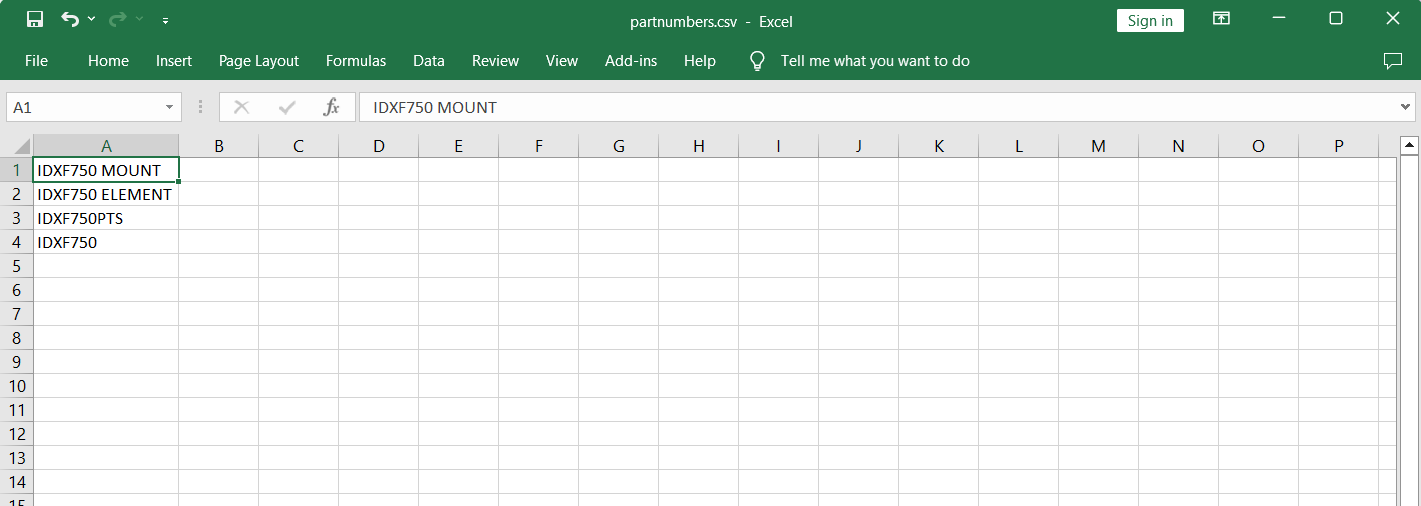
To use this you can either type in the MPN one per line, or upload a csv file. For uploading a file the best format would be as shown below (simple csv excel file with no column header and simply part numbers) There’s only one column, so it doesn’t need any commas.  The name of the file doesn’t matter.

Right format in csv:
Data Here-to-There Inc. | How to Use the Part Number Filter

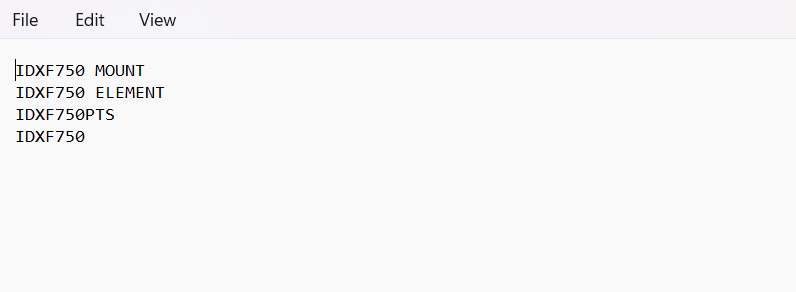
You can also use a txt file. Right format with txt file:
Data Here-to-There Inc. | How to Use the Part Number Filter

If you enter an invalid/incorrect part number, the filter tab pop up will prompt you with the invalid skus, which should be removed from the file.
Here’s prompt to show the wrong part numbers:

Data Here-to-There Inc. | How to Use the Part Number Filter

If this happens simply close the prompt, take note of skus, remove them from the file to be uploaded, refresh the page and re-upload the file.  

Share:

More Scribes

multi location inventory

Multi Location Inventory

Previously we had all skus showing a single location called the “Slingshot App”, however we received a lot of requests
Create Parent collection in Shopify

Create Parent collection in Shopify

1. Click “Products” 2. Click “Collections” 3. Click “Create collection” 4. Click the “Title” field. 5. Enter the desired name

Add your Comment

Stay Connected

More Updates

Keyboard with an add to cart button

Amazon Is Not an Online Automotive or Powersports Parts Store

Amazon isn’t built to serve automotive or powersports customers, and it never will be. Dealers are the true specialists, and the gap between what Amazon offers and what a dealership can deliver is wider than most realize. Your expertise, fitment knowledge, and customer relationships are your edge — if you bring them online.
Order shows Unfulfilled

Order shows Unfulfilled

If you have an order that shows as unfulfilled, first make sure you have completed a test order. If you have completed a test order,
Connecting Premier

Connecting Premier

1. Log into your Premier portal account using the credentials you received from your Premier representative. 2. Go to the ‘My Data’ menu and select ‘Custom Data Feed’.
Select your currency