
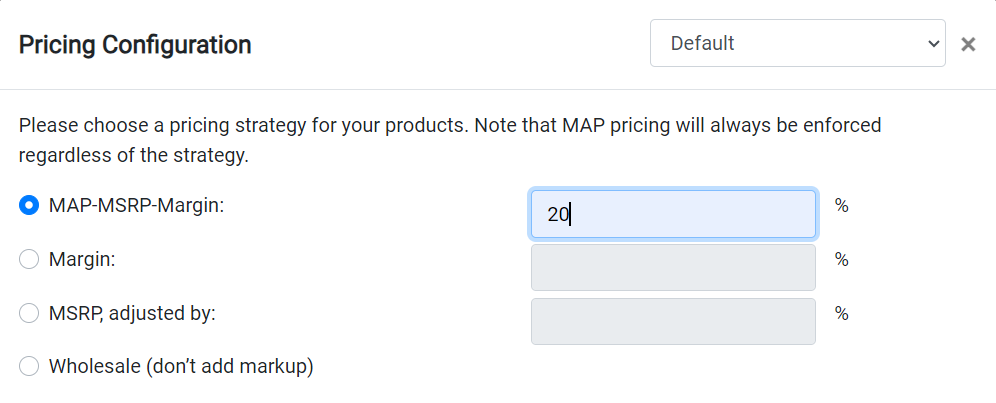
How does MAP-MSRP-Margin Work?

Data Here-to-There Inc. | How does MAP-MSRP-Margin Work?

The MAP-MSRP-Margin option will check for MAP first.  If MAP is available, that will be the product price.  If MAP is not available the system will look for MSRP.  If MSRP is not there, it will use the wholesale price plus the margin you entered. This means if you set the margin to 0% products may be listed at cost.

The updates run immediately after you save the change.  The system updates each brand one by one and updates the prices.  This takes a few minutes per brand so the total time depends on the number of brands selected.
Share:

More Scribes

multi location inventory

Multi Location Inventory

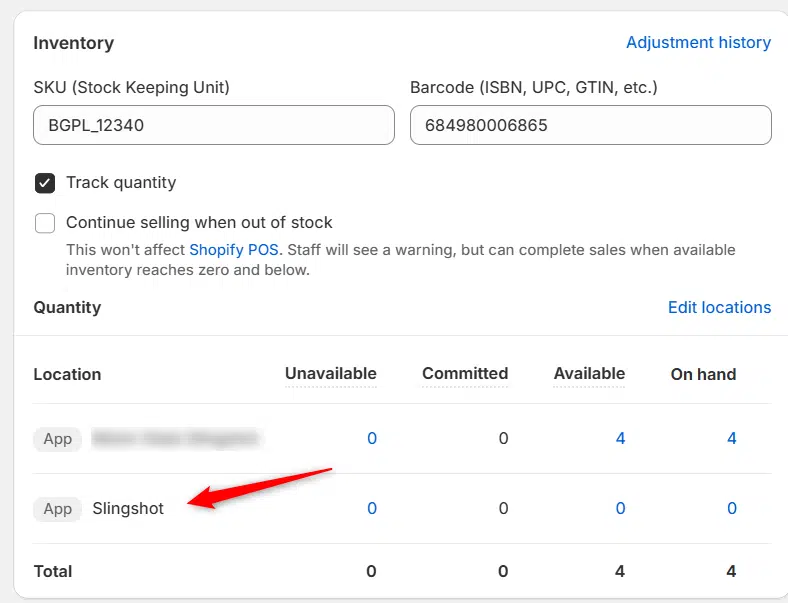
Previously we had all skus showing a single location called the “Slingshot App”, however we received a lot of requests
Create Parent collection in Shopify

Create Parent collection in Shopify

1. Click “Products” 2. Click “Collections” 3. Click “Create collection” 4. Click the “Title” field. 5. Enter the desired name

Add your Comment

Stay Connected

More Updates

Connecting Earl Owen

Connecting Earl Owen

1. Open your Shopify store 2. Open the “Slingshot Automotive” app 3. Click the “Settings” tab 4. Scroll down to Earl Owen and click “Connect”
Using the fitment filter

Using the fitment filter

1. Open the Turn 14 Distribution app 2. Click “Filters” 3. Use the menus shown here to select a vehicle type. These filters can be
Select your currency