
Connecting The Wheel Group (TWG)

1. Open your Shopify store

2. Open the “Slingshot Automotive” app

Data Here-to-There Inc. | Connecting The Wheel Group (TWG)

3. Click the “Settings” tab

Data Here-to-There Inc. | Connecting The Wheel Group (TWG)

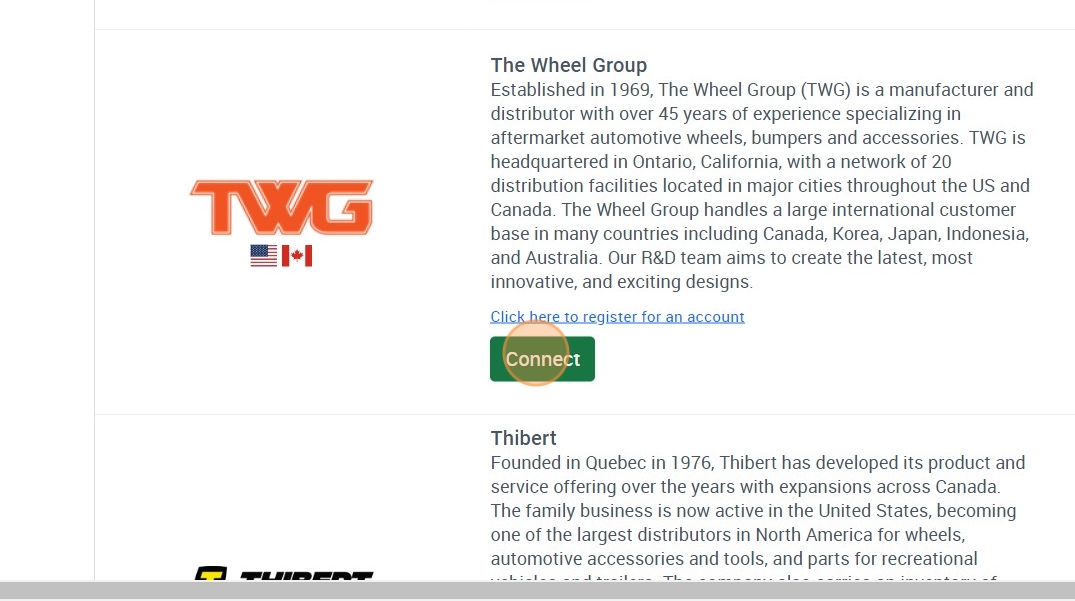
4. Scroll down to The Wheel Group and click “Connect”
Data Here-to-There Inc. | Connecting The Wheel Group (TWG)

5. Email Support@dataheretothere.com and request an FTP be created for you for The Wheel Group. Include the name of your store and URL in this email.

6. Email your The Wheel Group account representative the provided FTP information and request they set up an FTP feed with those details.

For assistance please contact: prestonw@wheel-1.com

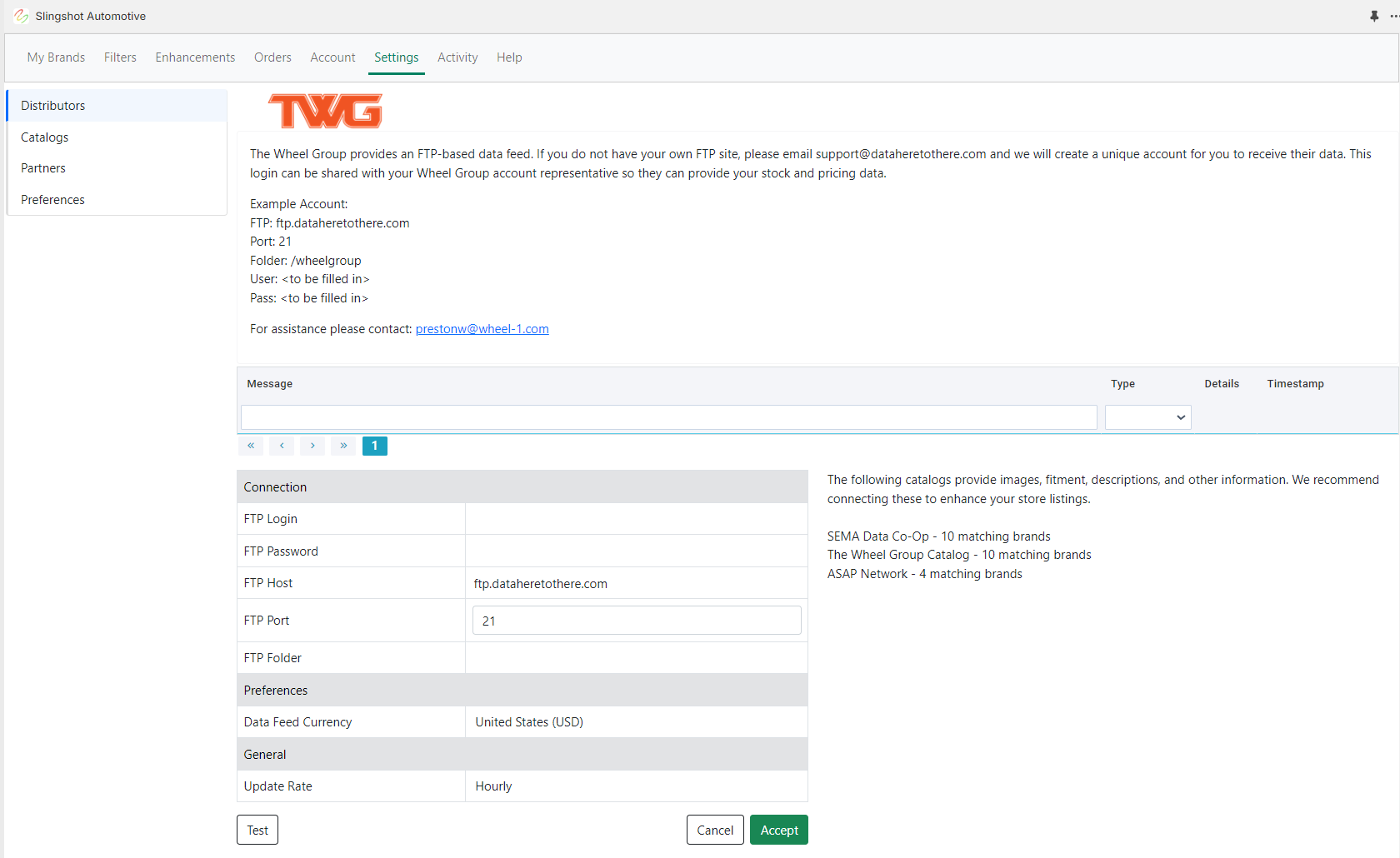
7. Enter the credentials provided by DH2T Support into the The Wheel Group connection window, and click “Accept”
Data Here-to-There Inc. | Connecting The Wheel Group (TWG)

Share:

More Scribes

multi location inventory

Multi Location Inventory

Previously we had all skus showing a single location called the “Slingshot App”, however we received a lot of requests
Create Parent collection in Shopify

Create Parent collection in Shopify

1. Click “Products” 2. Click “Collections” 3. Click “Create collection” 4. Click the “Title” field. 5. Enter the desired name

Add your Comment

Stay Connected

More Updates

2025 year in review illustration

2025 Year In Review: Milestones & Momentum

2025 was a milestone year for Data Here-to-There. From major industry events and strategic partnerships to dealer-focused product updates, podcast conversations, and industry recognition, this year-in-review highlights the moments that shaped DH2T’s continued growth.
Zero Stock Items

Zero Stock Items

In the filters tab of the app we have the option to import products with zero stock.  This setting only applies when uploading products, helping
Connecting Premier

Connecting Premier

1. Log into your Premier portal account using the credentials you received from your Premier representative. 2. Go to the ‘My Data’ menu and select ‘Custom Data Feed’.
Select your currency
