General Filter Instructions Tutorial

You can use the filters to control what type of products you load into your store? You may have a niche that you want to focus on. So you can set the filters to for example only load products for the new Ford Bronco.

Data Here-to-There Inc. | General Filter Instructions Tutorial

Maybe you don’t want products that are missing images, or you don’t want to deal with special order products? You can filter those out to!

Data Here-to-There Inc. | General Filter Instructions Tutorial

Here is a video with more details. 

Share:

More Scribes

multi location inventory

Multi Location Inventory

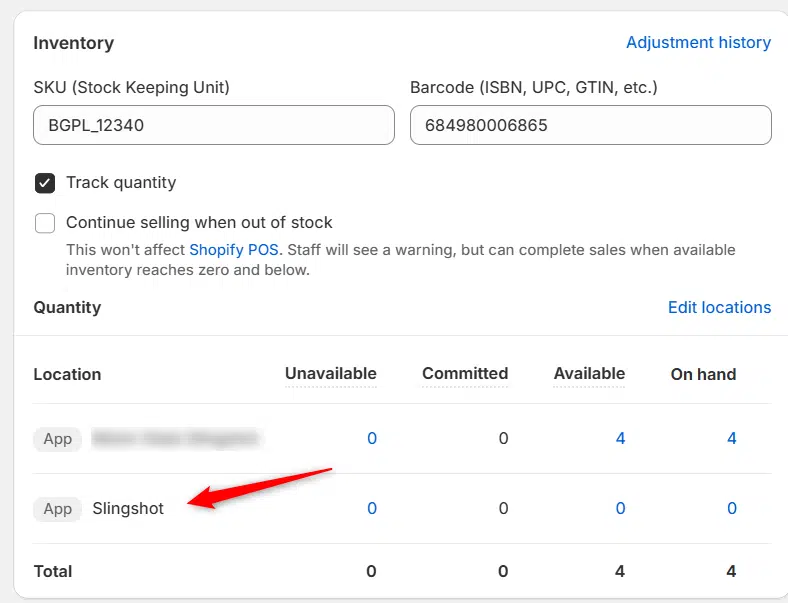
Previously we had all skus showing a single location called the “Slingshot App”, however we received a lot of requests
Create Parent collection in Shopify

Create Parent collection in Shopify

1. Click “Products” 2. Click “Collections” 3. Click “Create collection” 4. Click the “Title” field. 5. Enter the desired name

Add your Comment

Stay Connected

More Updates

Edit Vertical menu in Spark Theme

Edit Vertical menu in Spark Theme

1. Click “Online Store” 2. Click “Navigation” 3. Click “Main menu” 4. Click “Edit” or “Delete” on the menu item you want to change
Barry Alt (left), Dan Ziegler (center), Jay Funnell (right) - Year, Make, Model, Money! Podcast

The Year, Make, Model, Money! Podcast, Episode 2, Part 3

In this third part of our conversation with Dan Ziegler, we dig into what truly makes the Turn 14 Distribution app the game-changer for automotive dealers. With candid dealer feedback, behind-the-scenes design debates, and powerful automation at its core, Part 3 pulls back the curtain on what it really takes to build tech that works in the real world. If you’ve ever lost hours to spreadsheets or had a MAP violation nearly jeopardize a vendor relationship, this one’s for you.
Select your currency