Keystone Shipping Rates for Hawaii and Alaska

• Customer’s current UPS Ground flat rate shipping applies to all Alaska and Hawaii UPS ground shipments

• In addition to the flat rate, a $20 handling fee is charged to cover the additional shipping costs – This fee remains constant for all UPS ground shipments 

• All standard accessorial fees will apply as they normally do for all lower 48 United States shipments – UPS ground shipping to Hawaii & Alaska Formula: Flat rate + $20 handling charge + applicable accessorial charges = shipping cost to Hawaii/Alaska 

• Customers can still choose to use USPS shipping services if item is USPS eligible – USPS is calculated based on shipment size and destination – No chemicals 

• Hawaii and Alaska LTL shipping options available from all warehouses – Standard flat rates for Hawaii & Alaska LTL shipments are $300 – Items over 96 Inches (8 Feet) – $100 Additional Surcharge ($300 + $100) – Items over 192 inches (16 feet) – $200 Additional Surcharge ($300 + $200) – Carrier options to Hawaii and Alaska have limited weekly pickup schedules. Generally, it is 1 or 2 times a week depending on the warehouse. Expect longer lead times than standard continental US Shipments. 

• UPS expedited services are also available for most shipments to Hawaii and Alaska – Items must be eligible to ship by air – No chemicals 

• UPS expedited services are calculated based on service level, package weight, and destination – Shipping can be calculated through our B2B websites by inputting applicable order details

The $20 fee and the accessorial fee can be added to your standard rates.  You can add those rates in the Settings tab for your Keystone connection in Slingshot:


Data Here-to-There Inc. | Keystone Shipping Rates for Hawaii and Alaska
For the Alaska shipments you would need to add a Shopify shipping zone to include the extra fees.
Share:

More Scribes

multi location inventory

Multi Location Inventory

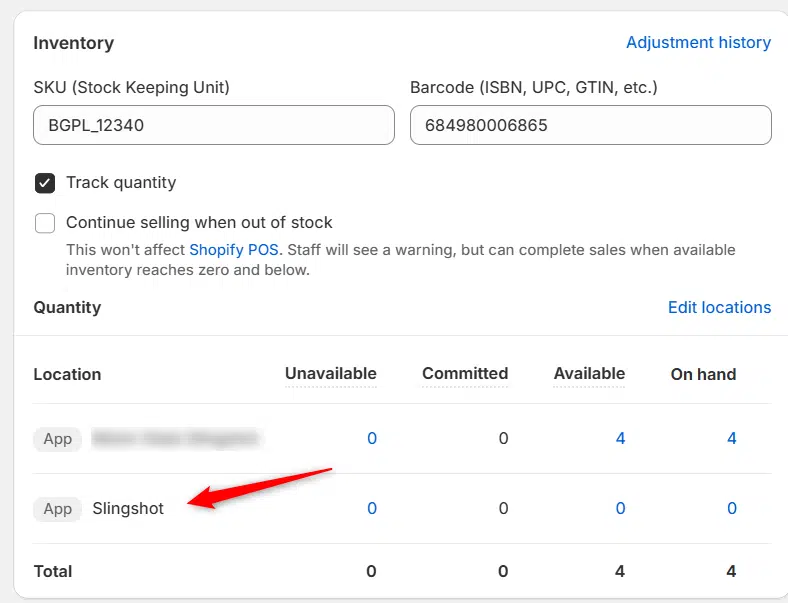
Previously we had all skus showing a single location called the “Slingshot App”, however we received a lot of requests
Create Parent collection in Shopify

Create Parent collection in Shopify

1. Click “Products” 2. Click “Collections” 3. Click “Create collection” 4. Click the “Title” field. 5. Enter the desired name

Add your Comment

Stay Connected

More Updates

ESP Truck Accessories Owners and Founders

Interview with Shelly Pike of ESP Truck Accessories: From Niche Business to Leading Supplier

Discover how ESP Truck Accessories evolved from a small venture specializing in practical underseat storage solutions to a thriving business with a catalog of over 20,000 truck and vehicle accessories. Shelly Pike and her husband have built their success on a foundation of exceptional customer service and expert installation, earning a reputation for excellence that has driven their impressive growth. In this exclusive interview with DH2T Marketing Director Stephanie Benger, Shelly shares how their commitment to building strong partnerships, leveraging innovative inventory management tools like DH2T Slingshot Automotive and Turn 14 Distribution apps, and prioritizing customer satisfaction have positioned ESP Truck Accessories as a leader in the automotive accessories industry.
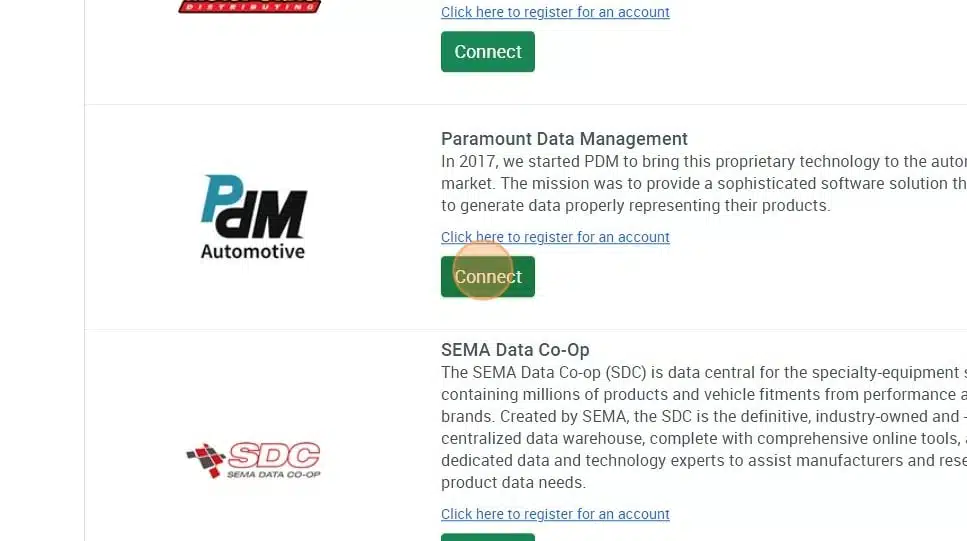
Connecting Paramount Data Management (PDM)

Connecting Paramount Data Management (PDM)

1. Open your Shopify store 2. Open the “Slingshot Automotive” app 3. Click “Settings” 4. Click “Catalogs” 5. Scroll down to “Paramount Data Management” and click
2025 year in review illustration

2025 Year In Review: Milestones & Momentum

2025 was a milestone year for Data Here-to-There. From major industry events and strategic partnerships to dealer-focused product updates, podcast conversations, and industry recognition, this year-in-review highlights the moments that shaped DH2T’s continued growth.
Select your currency