How to edit the search form in Spark theme

1. Open your store in Shopify, navigate to “Online Store”

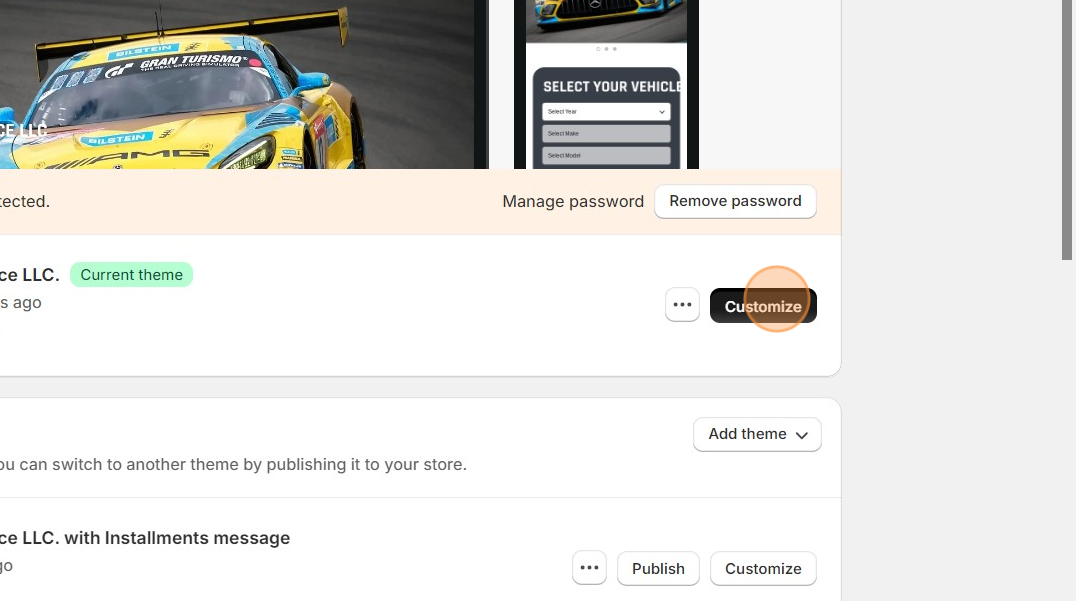
2. Open the theme editor with the “Customize” button

Data Here-to-There Inc. | How to edit the search form in Spark theme

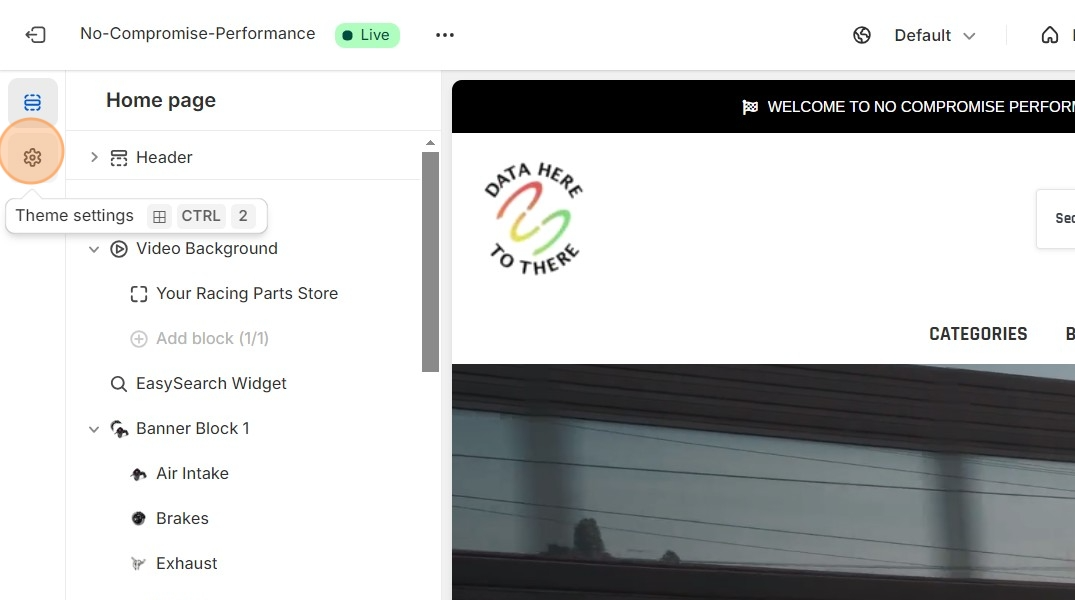
2. Click the settings cog on the left side

Data Here-to-There Inc. | How to edit the search form in Spark theme

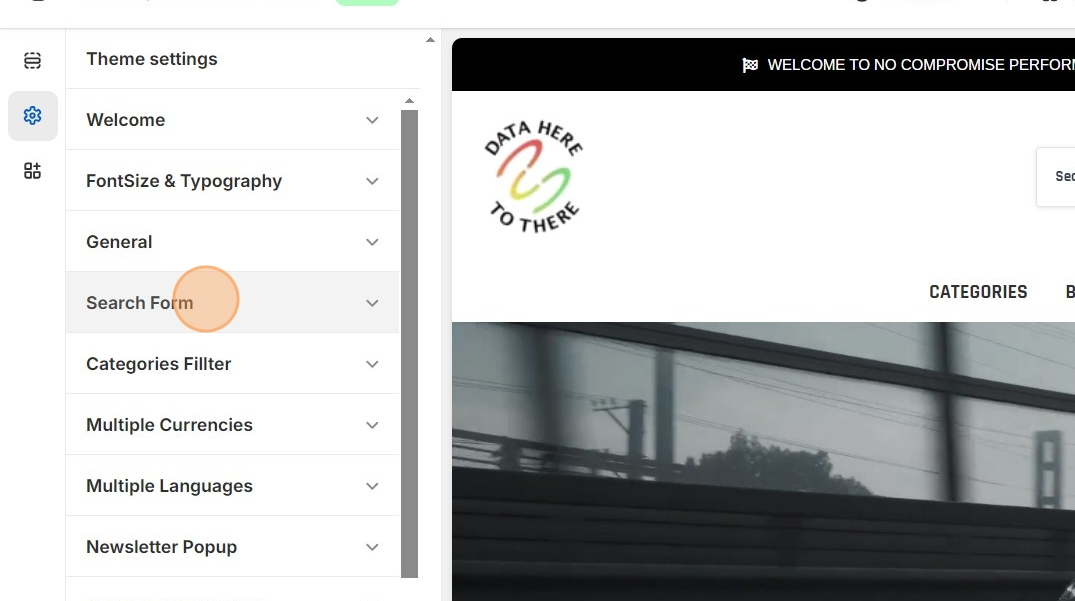
3. Click “Search Form”

Data Here-to-There Inc. | How to edit the search form in Spark theme

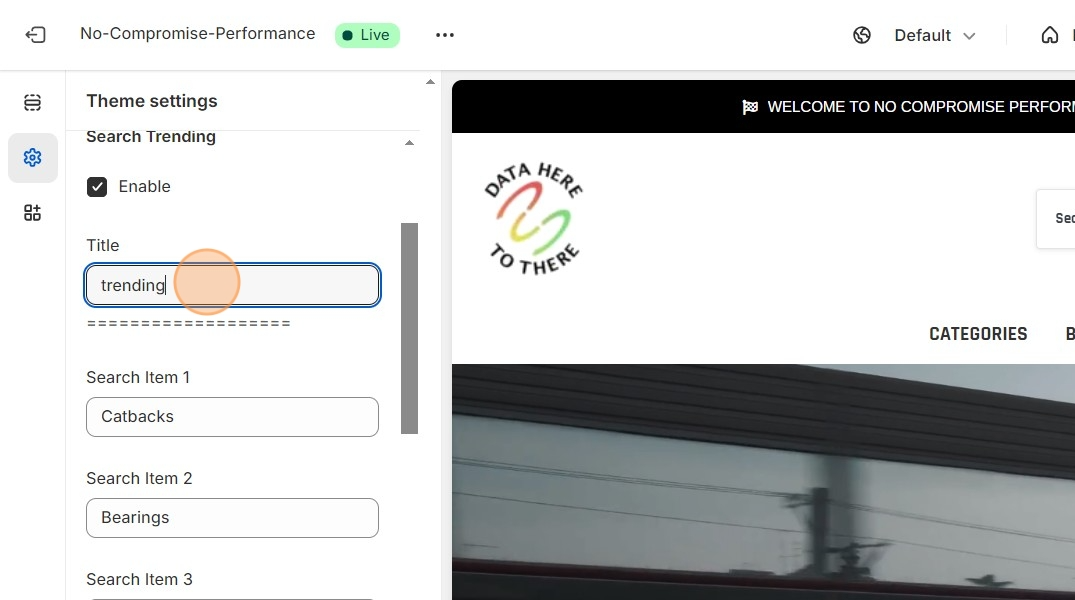
4. Here you can edit what shows up in the search box

Data Here-to-There Inc. | How to edit the search form in Spark theme

Share:

More Scribes

multi location inventory

Multi Location Inventory

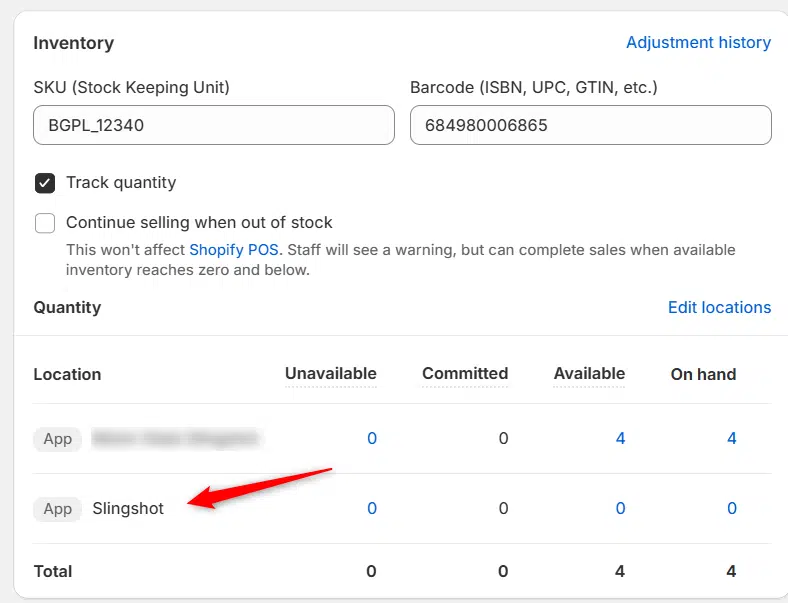
Previously we had all skus showing a single location called the “Slingshot App”, however we received a lot of requests
Create Parent collection in Shopify

Create Parent collection in Shopify

1. Click “Products” 2. Click “Collections” 3. Click “Create collection” 4. Click the “Title” field. 5. Enter the desired name

Add your Comment

Stay Connected

More Updates

How does MAP-MSRP-Margin Work

How does MAP-MSRP-Margin Work?

The MAP-MSRP-Margin option will check for MAP first.  If MAP is available, that will be the product price.  If MAP is not available the system
AI-generated graphic: Illustration showing dirty data killing sales versus clean data driving growth in automotive e-commerce.

Dirty Data Clean Up: How to Turn Catalog Chaos into Ecommerce Sales Power

In the automotive aftermarket, messy catalogs and “dirty data” can stall sales before they start. Inconsistent listings, incorrect fitment, and missing details don’t just frustrate customers, they cost you conversions, returns, and revenue. As Selina Rentz-Weddle of MANN+HUMMEL noted, “dirty data creates friction at every level.” This article explains how cleaning up your catalog and syncing data across platforms can transform chaos into ecommerce sales power, and how Data Here-to-There’s apps make the process seamless.

Select your currency