Integrate EasySearch with the Turn 14 Distribution App

1. Open your Shopify store

2. Open the “EasySearch – YMM” app

Data Here-to-There Inc. | Integrate EasySearch with the Turn 14 Distribution App

3. Click “Integrations”

Data Here-to-There Inc. | Integrate EasySearch with the Turn 14 Distribution App

4. Click “Get API connection string” under the “Turn 14 Distribution” header

Data Here-to-There Inc. | Integrate EasySearch with the Turn 14 Distribution App

5. Select all the text in the popup window and copy it

Data Here-to-There Inc. | Integrate EasySearch with the Turn 14 Distribution App

6. Click “Close”

Data Here-to-There Inc. | Integrate EasySearch with the Turn 14 Distribution App

7. Open the “Turn 14 Distribution” app

Data Here-to-There Inc. | Integrate EasySearch with the Turn 14 Distribution App

8. Click “Integrations”

Data Here-to-There Inc. | Integrate EasySearch with the Turn 14 Distribution App

9. Click “EasySearch by NexusMedia API”

Data Here-to-There Inc. | Integrate EasySearch with the Turn 14 Distribution App

10. Paste the copied text into this field

Data Here-to-There Inc. | Integrate EasySearch with the Turn 14 Distribution App

11. Click “Test”

Data Here-to-There Inc. | Integrate EasySearch with the Turn 14 Distribution App

12. If test is successful, click “Save”

Data Here-to-There Inc. | Integrate EasySearch with the Turn 14 Distribution App

Share:

More Scribes

multi location inventory

Multi Location Inventory

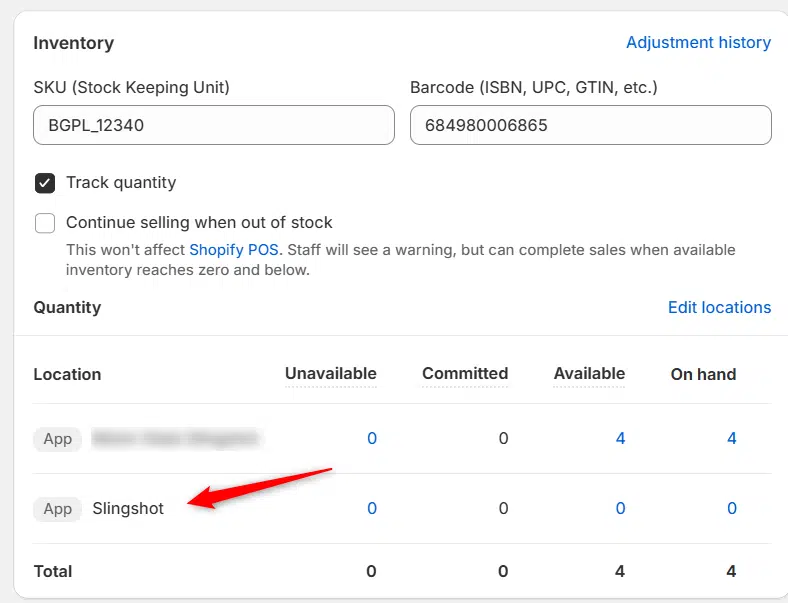
Previously we had all skus showing a single location called the “Slingshot App”, however we received a lot of requests
Create Parent collection in Shopify

Create Parent collection in Shopify

1. Click “Products” 2. Click “Collections” 3. Click “Create collection” 4. Click the “Title” field. 5. Enter the desired name

Add your Comment

Stay Connected

More Updates

Connecting MotorState (Catalog)

Connecting MotorState (Catalog)

1. Open your Shopify store 2. Open the “Slingshot Automotive” app 3. Click “Settings” 4. Click “Catalogs” 5. Scroll down to “MotorState Catalog” and click
Core Charge Tags

Core Charge Tags

By default we build core charges into the product price, so they are always accounted for and you or your customers don’t get a nasty
Order shows Unfulfilled

Order shows Unfulfilled

If you have an order that shows as unfulfilled, first make sure you have completed a test order. If you have completed a test order,
Select your currency