
Connecting DIX

1. Open your Shopify store

2. Open the “Slingshot Automotive” app

Data Here-to-There Inc. | Connecting DIX

3. Click the “Settings” tab

Data Here-to-There Inc. | Connecting DIX

4. Scroll down to DIX and click “Connect”
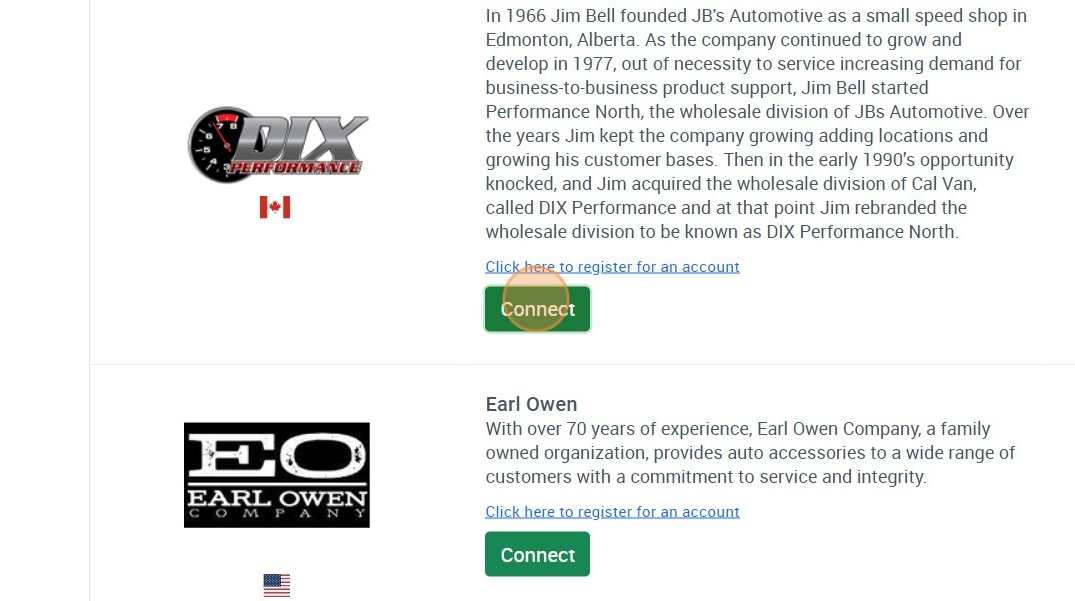
Data Here-to-There Inc. | Connecting DIX

5. Email Support@dataheretothere.com and request an FTP be created for you for DIX. Include the name of your store and URL in this email.

6. Email your DIX account representative the provided FTP information and request they set up an FTP feed with those details.

7. Enter the credentials provided by DH2T Support into the DIX connection window, and click “Accept”
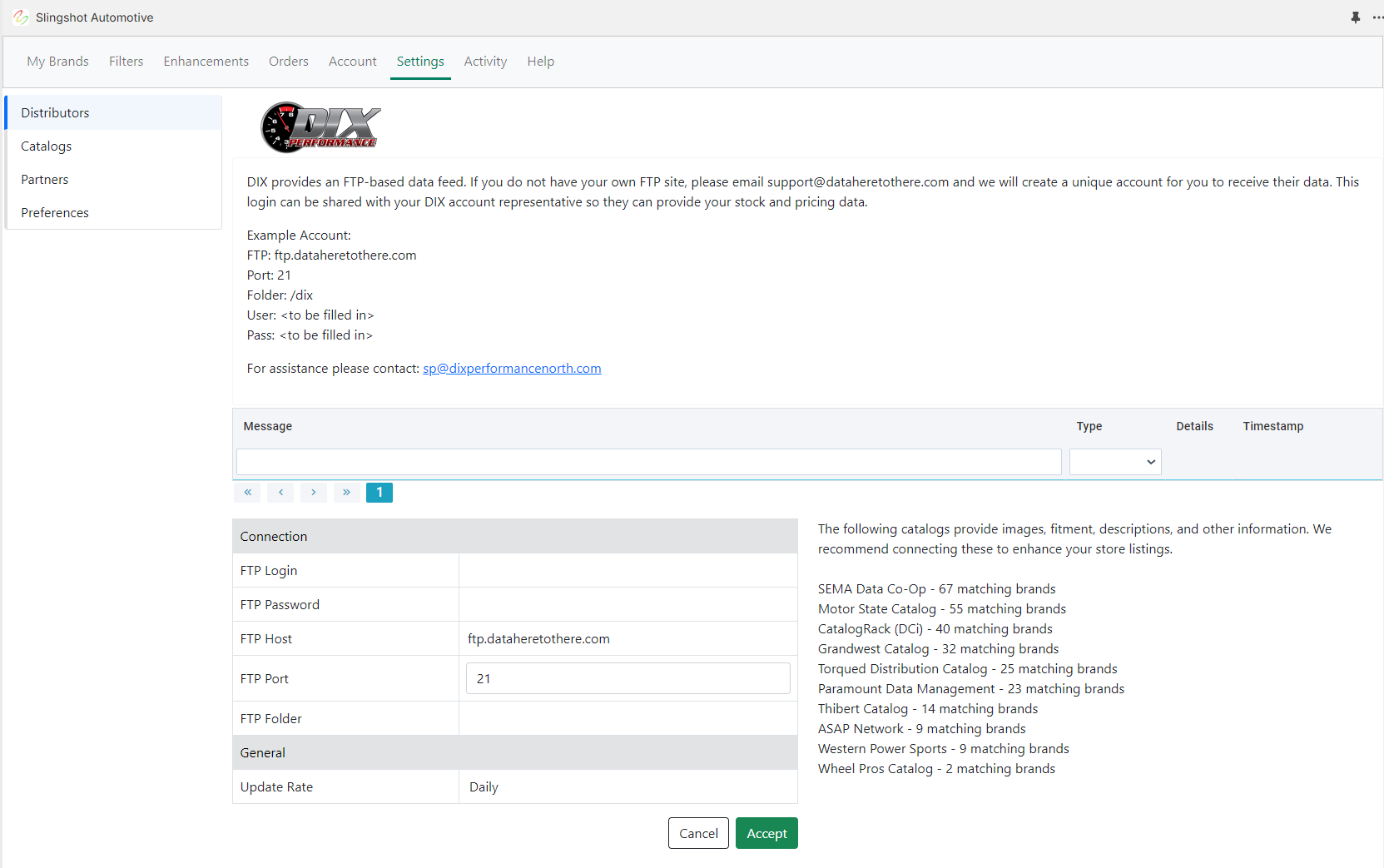

Data Here-to-There Inc. | Connecting DIX

Share:

More Scribes

multi location inventory

Multi Location Inventory

Previously we had all skus showing a single location called the “Slingshot App”, however we received a lot of requests
Create Parent collection in Shopify

Create Parent collection in Shopify

1. Click “Products” 2. Click “Collections” 3. Click “Create collection” 4. Click the “Title” field. 5. Enter the desired name

Add your Comment

Stay Connected

More Updates

connecting-grandwest

Connecting Grandwest

1. Open your Shopify store 2. Open the “Slingshot Automotive” app 3. Click “Settings” 4. Scroll down to “Grandwest” and click “Connect” 5. Contact your
Dynamic Content Overview

Dynamic Content Overview

The Dynamic Content section within the app appears as shown below. By default, all check boxes are selected, indicating that all tags associated with the
Select your currency